No description
| .vscode | ||
| include | ||
| lib | ||
| .acpp-stdpar-.acpp-stdpar-profile | ||
| generator.hpp | ||
| getting_pissed_on_simulator | ||
| input.hpp | ||
| Leopard.hpp | ||
| main.cpp | ||
| Makefile | ||
| math.hpp | ||
| my_random.cpp | ||
| my_random.hpp | ||
| parallel_sycl_sorting.cpp | ||
| parallel_sycl_sorting.hpp | ||
| particle.hpp | ||
| random_test.cpp | ||
| raylib-5.5_linux_amd64.tar.gz | ||
| ReadMe.md | ||
| renderer.hpp | ||
| updater.hpp | ||
| vector_cpu.hpp | ||
| vector_gpu.hpp | ||

GPU-Accelerated 3D Particle System
A high-performance 3D particle simulation engine built with SYCL (DPC++) for GPU acceleration and visualized with Raylib.
Demo
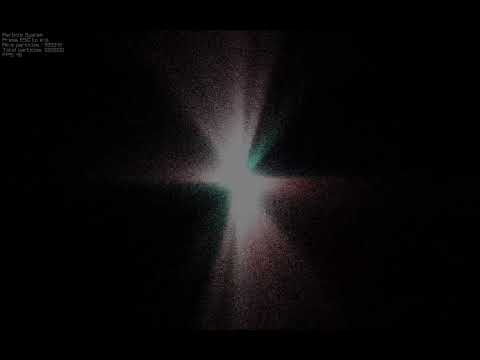 Click the image above to watch the demo video
Overview
This project demonstrates real-time simulation of over a million particles with physical interactions entirely on the GPU. It leverages SYCL for cross-platform GPU programming and achieves remarkable performance by utilizing parallelized computation for particle generation, physics simulation, and rendering.
Features
- Massive Particle Count: Efficiently simulates 1,000,000+ particles in 3D space in real-time
- GPU Acceleration: Full SYCL implementation for optimal GPU utilization
- Interactive Physics: Includes collisions, and bounce effects
- Customizable Particle Properties: Control color gradients, velocities, lifetimes, and emission rates
- 3D Visualization: Arcball camera navigation with zoom and rotation
- Dynamic Generation: Particles are continuously created and recycled with configurable properties
Technical Implementation
- SYCL Kernels: All computation offloaded to the GPU using parallel execution
- USM Memory Management: Uses SYCL's Unified Shared Memory for efficient data transfer
- Atomic Operations: Thread-safe particle management with atomic references
- Data-Parallel Algorithms: Optimized algorithms for particle simulation and rendering
- Custom Math Library: Specialized vector and matrix operations for 3D simulation and a random number generator(int & float)
Requirements
- Intel oneAPI Base Toolkit (for SYCL compiler)
- Raylib (for visualization)
- OpenCL-compatible GPU with appropriate drivers installed
Performance
- Intel Iris Xe 96EU: 56 FPS with 1,000,000 particles
- GPU Utilization: 85% - 98% depending on particle count
- Memory Footprint: Optimized for efficient memory use
- All computation: Fully parallelized with SYCL kernels
Building & Running
# Build the project
make

# Run with default settings
./getting_pissed_on_simulator

# Run with custom particle count
./getting_pissed_on_simulator -n 500000
Controls
- Mouse Wheel: Zoom in/out
- ESC: Exit application
Architecture
The project consists of several key components:
- Particle System Manager: Core data structure for particle storage and lifecycle
- Physics Engine: Euler integration with customizable forces and collisions
- Particle Generator: Creates particles with randomized properties
- Renderer: Projects and visualizes particles in 3D space
- Input Handler: Processes user interaction
Future Improvements
- Multi-GPU support for even larger particle counts
- Additional particle effects (fluids)
- More complex physics interactions
- Performance optimizations for various GPU architectures
Acknowledgments
- Thanks to Allah for everything.
- after that Thanks to my parents and my friends at 1337 for their support
- and Special thanks to Zakaria Yamli for the creative project name 😂
License
This project is available for educational purposes and personal use only.